Your watch is the key to your social apps.
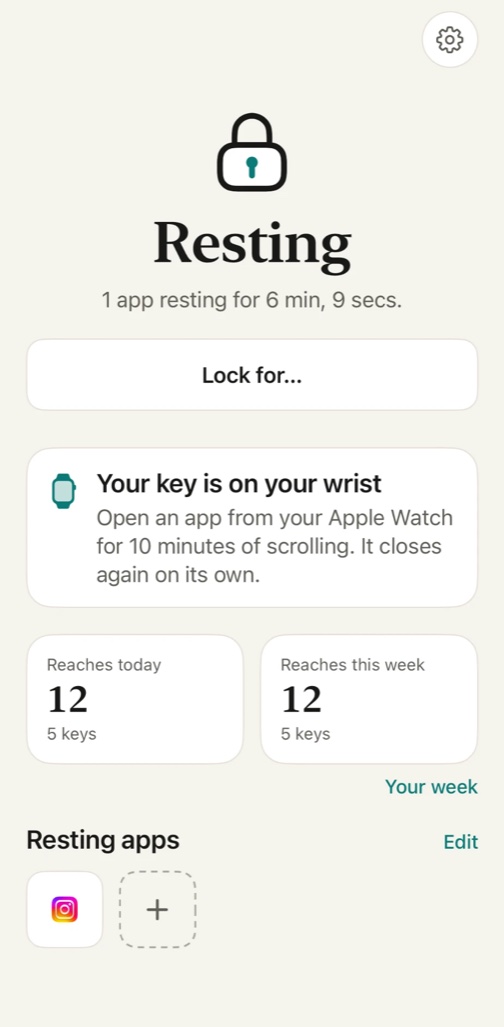
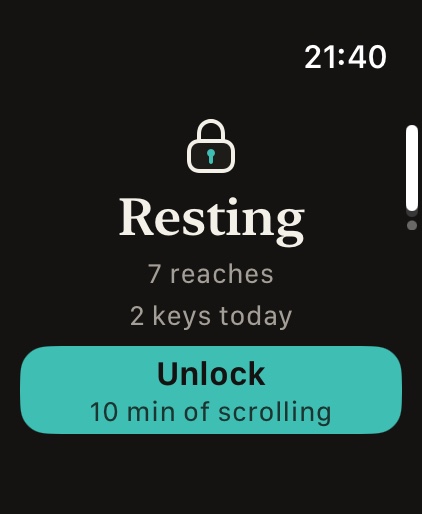
Pick the apps that pull you in. Bracer keeps them closed on your iPhone, and the only thing that opens them is a tap on your wrist. Ten minutes of scrolling, then the shield comes back on its own.

Every screen-time limit has a door out. A button that says ignore for today. A passcode you set yourself and know by heart. A slider you can move back. The limit holds exactly as long as you want it to, which is never the moment it matters.
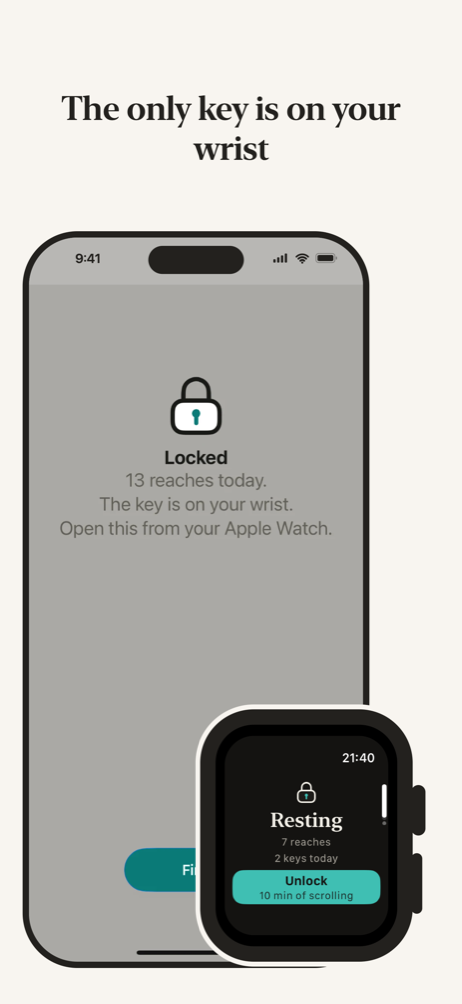
Bracer has no door. There is no passcode and no ignore. The key is a physical thing on your wrist, and if your watch is not with you, the apps stay closed.
Choose what rests
Pick the apps that eat your time in Apple’s own picker. Any app, or whole categories at once. Bracer never learns their names; iOS keeps that to itself.
They rest behind a shield
Open one and you meet the shield instead. It says how many times today you reached for your apps and that the key is on your wrist. Its only button closes the app. The phone cannot open its own lock.
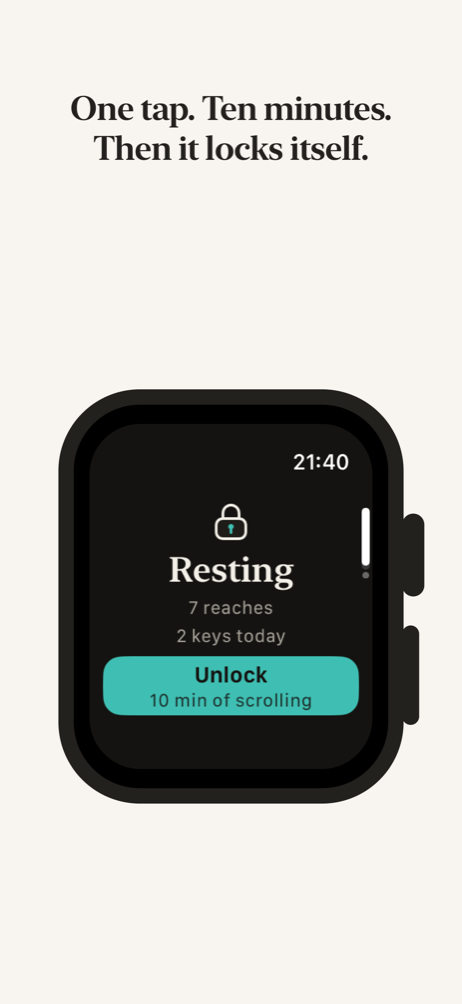
Tap Unlock on your watch
The apps open for the minutes you chose, ten by default. Only minutes inside those apps count; time in the rest of your phone does not.
The shield comes back by itself
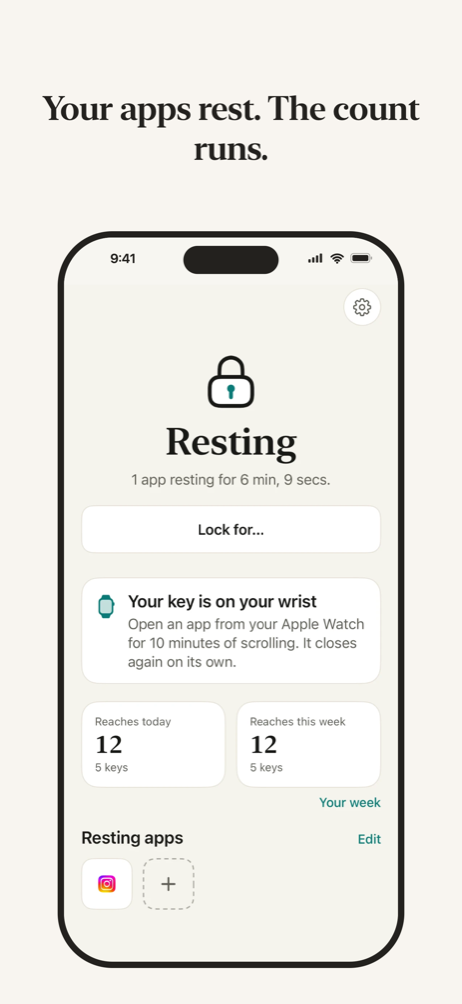
When the minutes run out, the apps rest again. For more, ask your wrist again, or leave it and watch the rest counter climb.
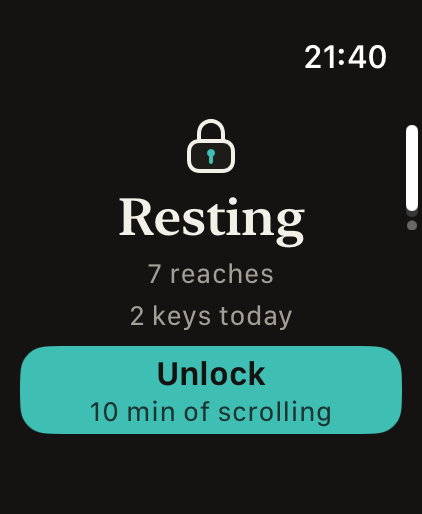
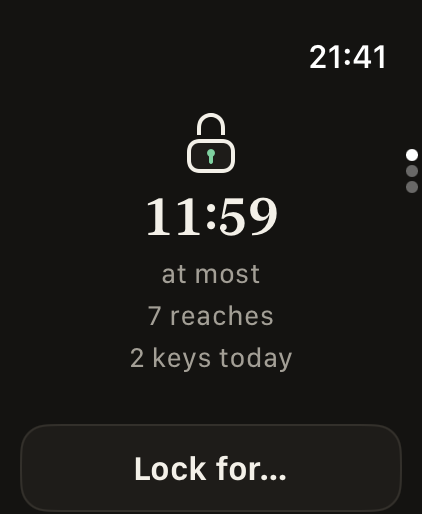
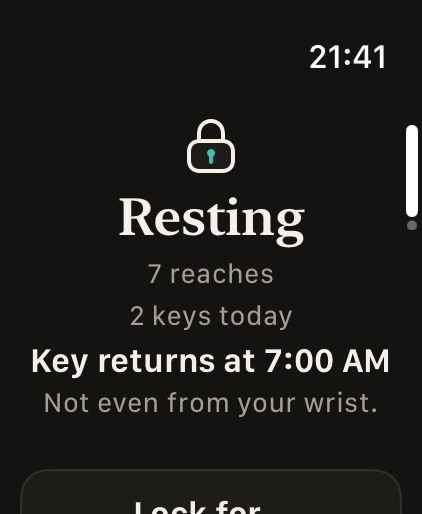
The watch always says yes until you tell it not to. Bracer Pro gives the key a character.
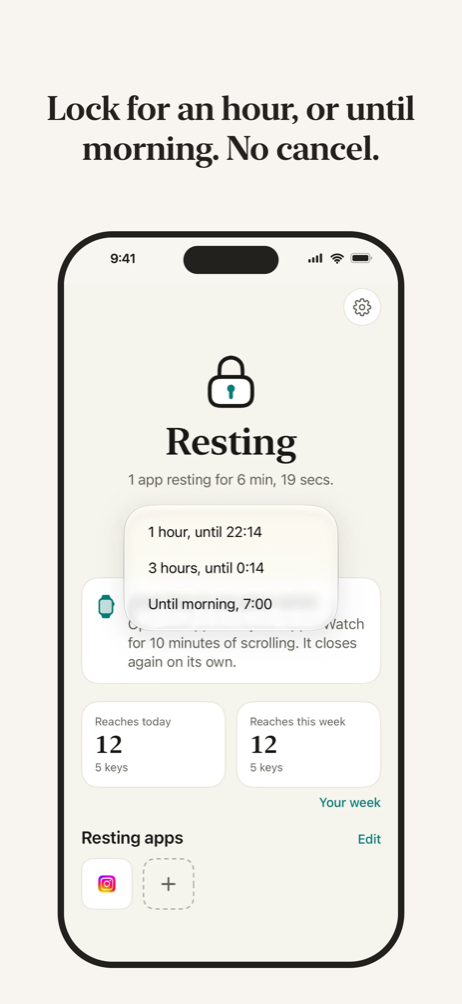
Lock for…
An hour, three hours, or until morning. While it runs, no key turns: not the watch, not the phone. There is no cancel, on purpose.
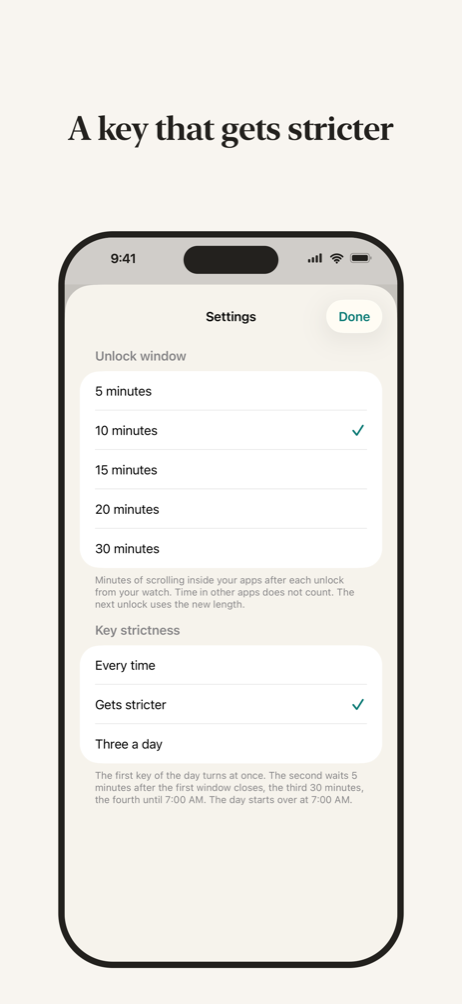
Gets stricter
The first key of the day turns at once. The second waits five minutes after the last window closed, the third half an hour, the fourth until 7:00.
Three a day
Three keys turn at once. The fourth waits until the day starts over at 7:00. Enough for a real need, not enough for a habit.
It counts the hours you stayed out.
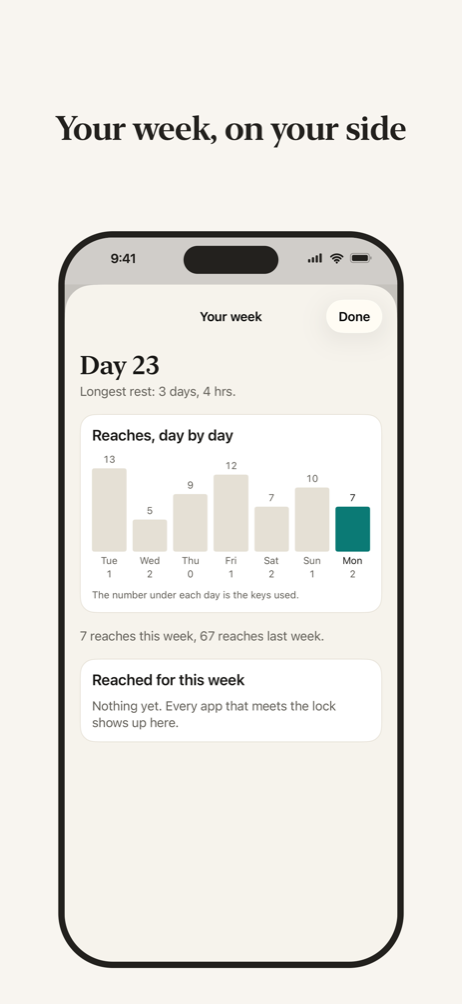
How long your apps have been resting runs live on your phone and on your watch face. Below it sit reaches, the times you opened a locked app and closed it again, and keys, the times you let yourself in.
Your week, in Pro, adds the day count since your first lock, your longest rest so far, reaches and keys day by day, the apps you reached for most, and how often your watch said not yet.
Nothing leaves your phone.
No account. No analytics. No servers of any kind. Bracer uses Apple’s Screen Time on your own device and never learns which apps you picked or how long you use them.
It is a self-control tool for your own phone. It cannot manage another person’s device and does not offer to.
Read the privacy policySet it up once, in a minute.
Bracer checks for your watch, asks iPhone for Screen Time access, and hands you Apple’s picker. Pick your apps, lock them, and the key is on your wrist.